Dynamic Calendly Booking Button for Info Pages
Hey team,
I’d like to request a feature that would make Info Pages fully scalable for teams.
Right now, when we build an Info Page and want the CTA to be “Book a Call,” each team member has to duplicate the page and manually replace the Calendly link with their own. While this works, it creates unnecessary friction and setup errors with multiple steps.
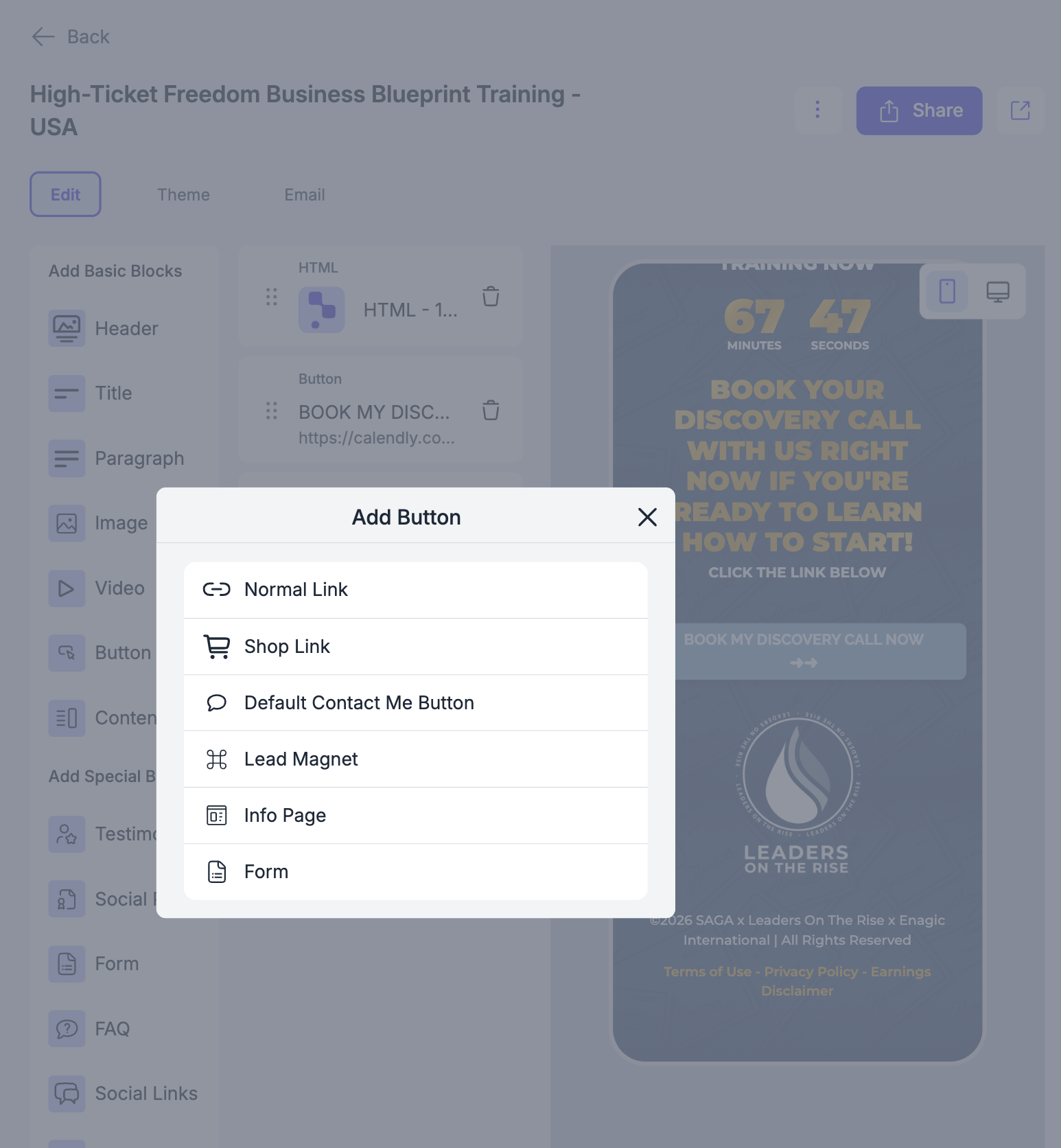
I’d love to see a new button option inside “Add Button” called:
Book a Call (via Calendly from Prospecting Settings)
How It Should Work:
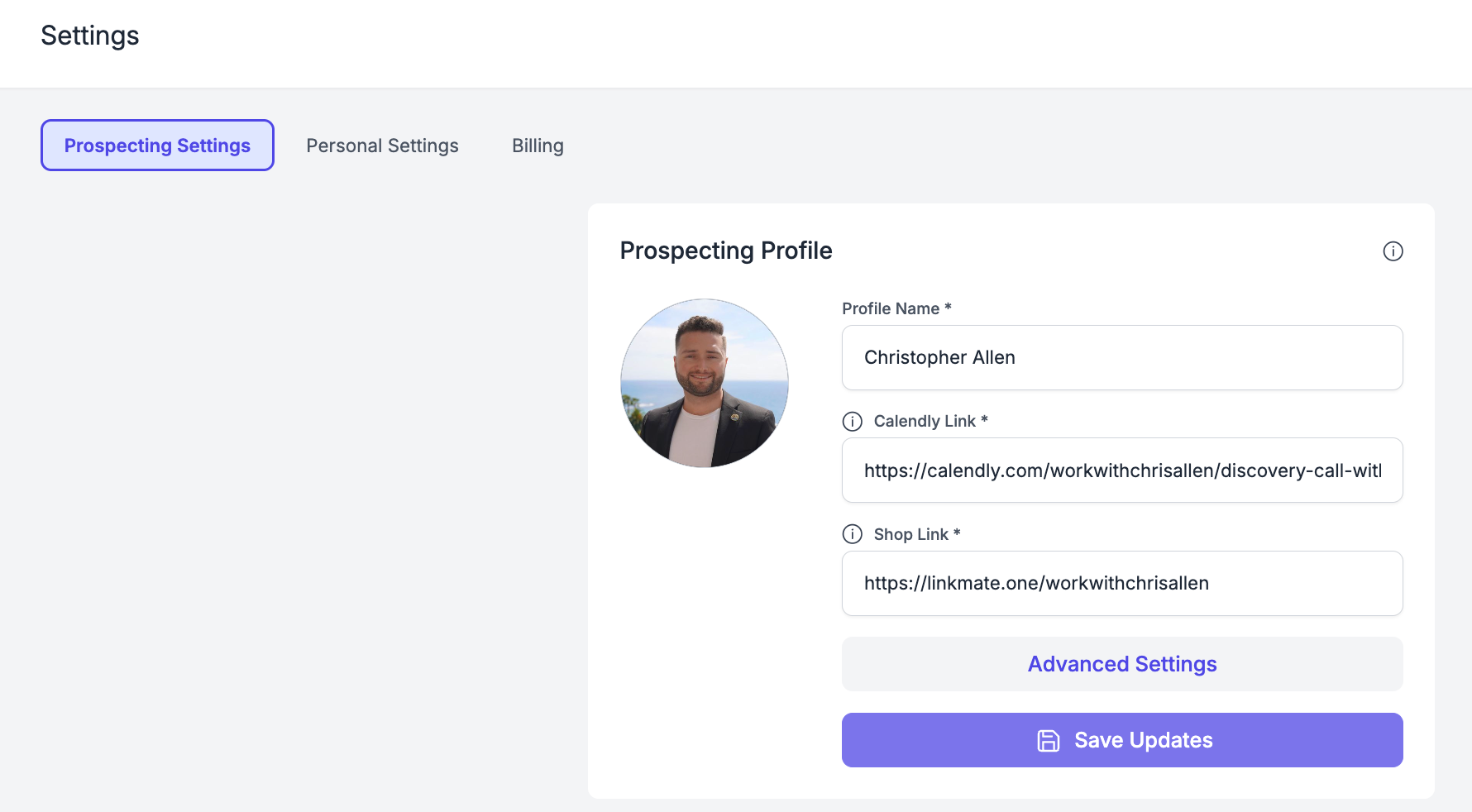
Each user sets their Calendly link once inside Prospecting Settings.
When building an Info Page, we can choose the new button type.
The button automatically pulls the user’s saved Calendly link.
No manual editing required when duplicating team pages.
Why This Matters:
• Enables true team duplication of Info Pages
• Reduces setup errors and broken links
• Makes webinar funnels and booking flows much simpler
• Improves onboarding for new team members
Comments1
Sara Cocozza
Mar 18
We are currently making adjustments so that each team will have 7 links to manage: one shop link, one referral link, and 5 free links, as you requested. This should resolve the issue you mentioned.